



TTMS Net Banking refers to two distinct but commonly searched banking contexts in India. The first is the Tirumalla Tirupati Multistate Co-operative Credit Society Limited (TTMS) — a co-operative financial institution operating primarily across Maharashtra, Karnataka, and Goa, offering savings, loans, fixed deposits, and digital banking services to its members. The second is the Tamil Nadu Treasury Management System (TTMS) — a government payment portal used for making treasury-related challans, fee payments, and departmental receipts online via authorised bank net banking. Both are widely searched, and this guide covers the co-operative banking platform comprehensively while also addressing the government treasury use.
TTMS (Tirumalla Tirupati) was established in 1998 under registration number TA1444. Its registered office is at 402, Indira Bhavan, Khar (West), Mumbai — 400052. The society works toward financial and social upliftment for its members through affordable credit, disciplined savings products, and digital access tools.
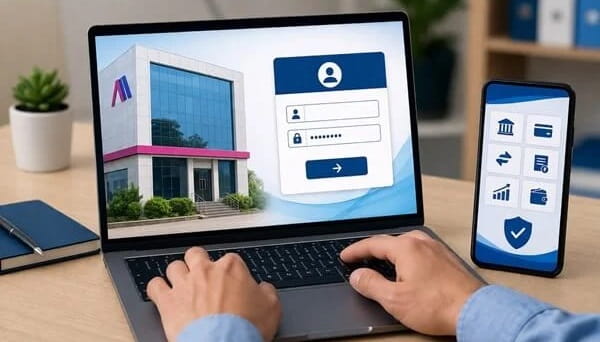
TTMS Net Banking — Registration Process
| Step | Action |
| Step 1 | Visit the official TTMS net banking portal |
| Step 2 | On the homepage, click on “New User Registration” or “Register” |
| Step 3 | Enter your Account Number, Registered Mobile Number, and Date of Birth |
| Step 4 | Submit the form — an OTP is sent to your registered mobile |
| Step 5 | Enter the OTP to verify your mobile number |
| Step 6 | Set a User ID and a strong Password as per the platform’s security policy |
| Step 7 | Set up Security Questions for account recovery |
| Step 8 | Registration is complete — you can now log in |
Requirements for Registration: Active TTMS account, registered mobile number linked to the account, and debit card details (for some verification steps).
TTMS Net Banking — Login Process
| Step | Action |
| Step 1 | Visit the official TTMS Net Banking portal |
| Step 2 | Enter your User ID and PIN / Password on the login page |
| Step 3 | Click “Login” |
| Step 4 | An OTP is sent to your registered mobile number |
| Step 5 | Enter the OTP received on your mobile |
| Step 6 | Click “Login” — you are now inside your TTMS Net Banking dashboard |
Tip: If you do not remember your User ID, check the SMS received at the time of registration — it contains your User ID and initial login credentials. Alternatively, contact TTMS customer care directly.
How to Reset Forgotten Password
| Step | Action |
| Step 1 | On the login page, click “Forgot PIN” |
| Step 2 | Enter your Access Number and Registered Email Address |
| Step 3 | Click “Get OTP” — an OTP is sent to your registered mobile |
| Step 4 | Enter the OTP received |
| Step 5 | Enter your Security Code to proceed |
| Step 6 | Set a new PIN / Password and confirm |
Key Features of TTMS Net Banking
| Feature | Details |
| Account Balance & Statement | View real-time balance and download transaction history |
| Fund Transfer — NEFT | National Electronic Fund Transfer — batch-based, throughout the day |
| Fund Transfer — RTGS | Real Time Gross Settlement — for high-value transactions |
| Fund Transfer — IMPS | Immediate Payment Service — 24/7, instant transfers |
| UPI Integration | UPI-based payments to any VPA or QR code |
| Utility Bill Payments | Electricity, water, gas, mobile recharge, DTH, broadband |
| Loan EMI Repayment | Pay TTMS loan EMIs directly from your account online |
| Fixed Deposit Management | Open, renew, or manage FDs — Ujjwal Bhavishya Yojana and others |
| Recurring Deposit | Track and manage RD schedules online |
| Beneficiary Management | Add, edit, or delete fund transfer beneficiaries easily |
| Cheque Book Request | Request a new cheque book without visiting the branch |
| Credit Card / Loan Payment | Pay outstanding dues online |
| GST and Tax Payments | Government tax payment facility |
| 24/7 Access | Online banking available round the clock |
| Security | SSL encryption + OTP-based two-factor authentication |
TTMS Net Banking — Supported Products
| Product | Description |
| Savings Account | Standard savings account with net banking access |
| Fixed Deposit (FD) | Short and long-term fixed deposits at competitive rates |
| Ujjwal Bhavishya Yojana | Long-term savings plan for future financial security |
| Recurring Deposit | Monthly recurring savings scheme |
| Loan Products | Personal, business, and emergency micro-loans for members |
| Monthly Income Scheme | Monthly payout savings plan for stable income |
TTMS as a Tamil Nadu Government Treasury Portal
For users in Tamil Nadu, TTMS also refers to the Tamil Nadu Treasury Management System — a government payment platform where citizens and businesses create challans and pay government fees, taxes, and departmental receipts using their bank’s net banking. There is no separate TTMS login for personal banking in this context. The process is: create a challan on the TTMS portal → select supported bank → log in to your bank’s net banking → complete the payment → download the receipt. TTMS itself is free — bank charges, if any, depend on your bank.
Frequently Asked Questions (FAQs)
Q1. What is TTMS in banking?
A: TTMS refers to Tirumalla Tirupati Multistate Co-operative Credit Society Limited — a co-operative financial institution in Maharashtra, Karnataka, and Goa. It also refers to the Tamil Nadu Treasury Management System for government payments.
Q2. How do I find my TTMS User ID?
A: Your User ID was sent via SMS at the time of registration. If unavailable, contact TTMS customer care or visit your nearest branch with your account details.
Q3. Is TTMS net banking safe?
A: Yes. TTMS uses SSL encryption and OTP-based two-factor authentication as per RBI directives, making it safe for online transactions.
Q4. Can I open an FD through TTMS net banking?
A: Yes. Fixed deposits including the Ujjwal Bhavishya Yojana and standard FDs can be managed directly through the net banking portal.
Q5. What should I do if my TTMS account is locked?
A: Wait 24 hours for automatic unlocking after repeated failed login attempts, or contact TTMS customer care to reset your access immediately.
Q6. Is TTMS net banking available 24 hours?
A: Yes. TTMS net banking is accessible 24 hours a day. However, NEFT transactions follow RBI’s processing schedule, and RTGS is available during banking hours.